
I am greatly excited and honoured to tell you all that I would be hosting an official Windows 7 launch party in Bangalore. This is going to happen on Oct 24th, saturday, from 5:00 at my house which is at BTM Layout, Bangalore. Though Windows 7 launches worldwide on 22nd October, I felt it would be better to host the party on the weekend, so that more people make visit.
This is going to be a fun event. We can discuss over some snacks about the latest Microsoft offering. You can check out and play around with the Ultimate edition of Windows 7, ask questions, see what is new and know for yourself why Windows 7 got 9/10 in tech reviews. Also, come early at get some Microsoft Goodies! All free.
I would be more than excited to invite as many as possible and show them what is cool about windows.
To get an invite for the invite post a comment, or post me at the official Windows 7 launch party website.
Windows 7 Launch event in Bangalore!
Posted by Codevalley Labels: bangalore, house party, launch party, Windows 7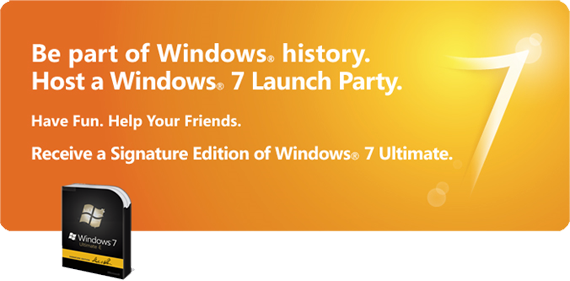


Troubleshooting ICS between Windows7, Windows XP , Linux etc
Posted by Codevalley Labels: ICS, Internet Connection Sharing, wifi, Windows 7, Windows XPInternet Connection Sharing has always been a pain in the a$$ for me. There has been numerous hours which went in vain trying to connect between all combinations involving Windows7, Windows XP and Linux. Though I got them connected once or twice, I could not decode the exact methodology. Each time trying to use ICS ended in broken keyboards, fists etc. After many attempts I at last found out the reason the exact modus operandi to use ICS.
I am not going into a step by step instruction of enabling ICS, which are alredy given here. I will just help you out from the most common issues faced.
Here I am explaining the scenario where, your internet is connected through the wired LAN, and you wan't share that using your WiFi. Your wired connection is in Windows [XP, Vista, 7 etc] and you want to share it with any other OS.
- Here, first you have to create a WiFi network from the host. This should not be a problem, and if at all it is, try to use [Open, WEP] authentication, instead WPA2 etc because these may not be compatible over all OSes.
- There may be a scenario where the Ad-Hoc network is created, but internet is not being shared. This can be checked by these steps.
- Goto the client PC, and goto the command prompt and type ipconfig. You will get the ip of the PC, note that.
- Now create a shared folder in this PC.
- Now goto the host and type \\ip-of-client. Now if you can see the shared folder, you network is established. Only internet is not shared.
- Now to get the internet shared, you have to the following. Goto the properties of the wired connection, [the connection from which you get internet], and goto the sharing tab. There you have to enable internet sharing.
- Sometimes,, this sharing itself would not be available/present. This maybe because, the sharing is enabled in any other connection. [Only one of the connection's sharing can be enabled]. So, disable this connection first and then enable sharing in the other connection.
- Now reconnect the WiFi, this should get the internet working.
- In, Windows7, you may have to choose which connections internet need to shared. There you have to choose the wired LAN [or the network which gives internet].
-codevalley
User Access Control, a scapegoat?
Posted by Codevalley Labels: Microsoft, UAC, ubuntu, Vista, Windows 7As Windows 7 is round the corner, lets get a little backwards in the time-line. Windows Vista kept us waiting for over six years, since the release of Windows XP, before hitting the retail stores in January 2007. Opening with mixed reviews, with some curiosity aroused by the Aero graphics engine and a new system architecture, the much hyped Vista settled down as a failure. Various reasons were given for the failure, which included the mammoth amount of system resources it required, the slow system performance, etc. But, one of the most cursed feature of Vista was the User Access Control.
UAC as it is commonly referred to as, is actually a feature which Microsoft added to Vista to enhance its security, by asking the user's confirmation before allowing any program to perform any serious (sometimes trivial) operation. People even went to the extent of rebranding UAC as User Annoyance Control. Norton noted that, "The more a user is prompted, the more likely it is that he or she will dismiss the prompt without reading it, and hence it is a false security model." And UAC became the easy target for Microsoft bashers and Windows haters.
But, is it really an annoyance? I personally felt it is not. Spending a few extra seconds reading a popup is always an easier option than installing a multi-megabyte antivirus software. Atleast you know whatever is happening in your system. Which all applications are trying to execute. I know each time my pendrive is trying to autoplay. It has helped me many a times from getting infected from external media.
After all is'nt this the very same security model followed in the Linux systems? Does'nt it ask for admin rights each time we try to do some system operation? In fact I have felt the frequency of popups more in my Ubuntu than in my Vista. I was rather disappointed when I heard Microsoft has partially removed the UAC from Windows 7. Though Vista may well be a below par product from Microsoft, I think the criticism on UAC was rather unfair. But, well that is MY opinion. You can have your say.
-codevalley


