Which is the best 1st generation smartphone??

For sometime now I have been carrying two smartphones with me, thanks to me being a Mobile Developer. Till yesterday there was a HTC Mozart(Windows Phone 7) and a Nexus One (Android Froyo), but today I had to swap my Nexus One for a iPhone 2G(iOS 3.1.3). While playing around with these phones, I realized both the iPhone and Mozart are first generation phones of their respective platforms. In that aspect, I have also used HTC Dream (G1, Android) for quite sometime. So the thought came to my mind, Amongst the 3 first generation phones, which is the best?

Before going into my opinion let me tell you that, I have traditionally been a Microsoft fanboy, and an Android lover, and a bit of Apple hater ;). But I will try to be fair on my judgement. 
The iPhone2G is a first generation phone in terms of hardware, the OS is not. My 2G is running iOS3.1.3 which is almost 2-3 years younger than the rig. Also, it has a million+ apps base now backing it. But to even this advantage out, the 3 year old phone is compared with a new Phone that was launched few months ago, and another a little earlier.

User Interface 
iPhone has a child-like user interface with embossed, glossy icons placed on a low screen resolution display, though many people say it is very intuitive and simple. 
Windows Phone has an unbelievable and revolutionary user interface. Everything looks so aesthetic, and eye pleasing. Giving much importance to the actual content than Chrome, you hardly see the phone OS, you see exactly what you are looking for. Be it your phone book, or your tweets.
The HTC G1 has a very barebone user interface. And it feels like using Windows 3.1, in terms of the styling and theming, it is definitely not the most beautiful designs I have seen. It gives you most of the things you want though, in terms features.
Verdict: WP7 beats iPhone by a few miles and Android by a few light years.
Usability
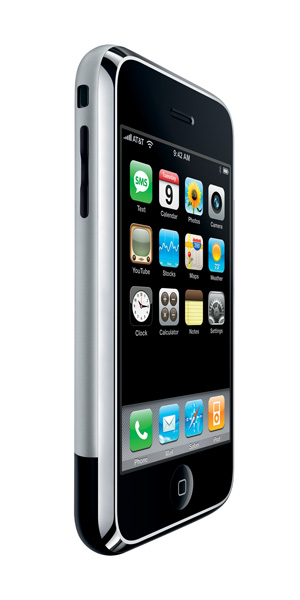
As mentioned before, this is about the software, so technically iPhone has a little advantage. But still, it lacks multi-tasking, and looks more or less basic. I still get mails delivered in the background and my tweets pushed through notifications, so it is very much usable. 
Windows Phone 7 fails here miserably. It starts with the lack of multitasking, similar to the iPhone it fetches your mails though.There is no push notification support, no sockets (no chatting), a poor browser (limited HTML5 support) and (hence?) pretty limited apps.
Android scores a home run here. It gives you everything you can think of. You can run a plethora of apps in the background (in the 70MB available memory), be available on chat all the time, receive tweets, and anything you could actually do in an computer.
Verdict: Android pays back Windows Phone,and iPhone stays where it was.

Stability
The iPhone I have is already 2+ years old, with a broken glass and is jailbroken (multiple times), but still is rock solid. No app has ever crashed while I was using it (you can't know if it crashed, even if it actually did :] ). 
Windows Phone has to catch up here. Few of my apps have crashed multiple times ( eg: Foursquare) and my phone itself crashed once and I had to hard reset it.
Android was worser, I used to get "Force close" messages and numerous crashes regularly. Maybe I am biased here, as I used to develop apps and run them on the phone :) Moreover the I could run any spurious app I want, on the phone, with no app restrictions in place.

Apps
Apps have been iPhone's forte and it will be, at least for some (more) time. Only that many of the apps have evolved and ignores the 2G phone now.:)
Windows Phone has some good apps, and generally they have kept the quality of apps high. Also, every app has a "try" option which is good. I haven't seen gaming experience get any better than the XBox live hub in my Windows Phone.
Android again has had a different approach, you can find all sorts of apps; good, bad, harmful, crappy and what not. It was hard to find quality apps in the platform, though there were a few.
Verdict: App-le it is, followed by Windows Phone and Android.

I can't say which is the best first generation phone, each one of them have been exciting in their own ways, if it was the fresh User Interface in the Windows Phone, iPhone brought about the touch phone revolution itself. Android took smartphones closer to computers and gave me infinite possibilities. 

But, if a G1, Mozart and iPhone was kept in front of me and I had to pick one, I would have probably picked the G1, er.. no... the Windows Phone..oh..or is ..it ... the iPhone?

Send in your choices. Which one would be your pick?

PS: I really miss my Nexus One. It is a hell of a phone!

New Google Images Search ignores Safe search filters?

Images Search was the only thing for which I still preferred Google after I switched to Bing. The Bing's newer ending page of images irritates me. But from yesterday I am getting the new Google Images Search, which looks more or less like Bing! With one exception, even if you are searching images with "Moderate" Safe search filter, you occasionally get Explicit results in your 1st or 2nd page (there is no "Page" as such, but logically). This happened to me quite a few times today. Most of the images were explicit frontal nudity pictures. I was really shocked at this mega blunder by Google. My office mate also told me he found some explicit things in Youtube as well, that too unintentionally!Can't get a clue how Google got the fetish for porn! Before you come to conclusions here are a few search queries which yielded some skin for me."Windows 6.5 Beehive" http://www.google.com/images?hl=en&source=imghp&biw=1280&bih=673&q=windows+6.5+beehive&gbv=2&aq=o&aqi=g10&aql=&oq=&gs_rfai=


Though I have not been blogging lately, could'nt resist but share this :) I think this at least helps me revive my blogging :)


An early look at Froyo, a.k.a Android 2.2

Well, it has been a long time since I wrote. Mostly because I was busy with *other stuff* and also because I was smitten by micro-blogging [read twitter]. Now that I am back, I will start with the talk of the town, Android.

For the last 2 days, I spent my nights watching youtube. But, before you come to weird conclusions, let me clarify, I was watching the GoogleIO live streaming like 25,000 other people around the world. And what I was primarily interested in was Froyo.

Froyo, typically means a dessert made of yoghurt {Frozen Yoghurt}. But Google meant a dessert of a different kind, it was the latest update for the Android OS, version-ed '2.2'. I was most amazed by the feature list that was unfolded by Gundotra. And right from then, I was restlessly checking on my Nexus One, whether it has been blessed with an Update from Google. After two [long] days of desperation, I came across a post in Phandroid.com which was an howto on manually updating the phone with Froyo. And within 20 minutes and a few taps, my N1 was running the Froyo.

What's new?
Immediately after installation and boot, when I tried tapping and swiping I found the system was little jerky and bumpy. Maybe, because it was the first boot and it had not done with it. Once it settled down, I went through it and here are the enhancements I found.
  • Animations: Animations are smoother, and are more fluid. Like when you drag between home screens, you have a bouncing halt rather than a jerky switch.
  • Applications menu: First they had the draggable applications menu, then the grid button, now they have the 3-icon set of Phone, Grid and Browser. And the applications screen is are bouncier and fast.
  • Call Log: The call log is more organised. If same caller has multiple calls consecutively, they are made into an expandable groups, so you can seen more info. I liked it.
  • Messages: The messages screen has been touched up a bit. Nothing special about it, but looks better.
  • Android Market: This is big. Market has got lots of goodies. Now, you can set auto-update for any app, it downloads updates whenever available. Even better, you have update-all button to download all updates. Also there is a separate, comments tab for applications.
  • Search Bar: Search bar is also enhanced with a drop down button, from which you can filter you search to Apps, Web, Contacts or All. I felt it was redundant though.
  • Mail: This is a huge [I guess]. I don't remember being able to add multiple Google accounts to my phone before. Now, you can do that. You can add as many Google accounts you want into your GMail and sync the contacts etc.
  • System speed: Though in general the system appeared faster, some places it lagged behind previous update. Like in the album application, the loading was pretty slow.
  • Flash 10.1: This almost gave me a nightmare. I installed the firmware and went to every flash website I knew. None of them were loading. I checked the system settings. No mention of flash anywhere. I was bamboozled until I checked in the Android Market. You have to manually install the Flash plugin as an Application. And it is a beta. Nevertheless once I installed it I could check out all the flash websites and even games on browser. I checked the desktop version of youtube.com [though] the video playback was not very smooth. Had a low frame-rate playback.
  • Applications: The manage applications screen also has minor make-ups. The biggest one being the ability to move installed applications to SD-Card to save space. But it was greyed out in my phone.
  • Google Maps: looks faster in the new build. The tiles load very fast. So is the case with Google Earth.
So that's my initial impression on Froyo after 3 hours of usage. Will post more updates as and when I find them.
The catch is that, this update is only available for Nexus One, that too would roll out in a period of over 3 weeks [unless you take my route]. What about the other phones? Samsung Galaxy and the likes are still running the Donut [Android 1.5].

My top 10 tech highlights of 2009

2009 was definitely not the best year of my blogging. But was a very happening year in the tech arena. I have compiled my favourite top 10 tech events/products which caught my attention. The top 10 is ranked based on how big a hit (or flop) the product was or how much attention it gathered.

10. Windows Mobile 6.5/ Windows MarketPlace
Microsoft released the stopgap, not in the roadmap, version of Windows Mobile, to arrest their landslide in the Mobile market. With Blackberry, Android, iPhone and Palm Pre raising the bars, this was more of an act of desperation.
Though it had some positives, the launch was damp as not all the mobiles received upgrades to the new OS.
Again coming to Windows Marketplace, the situation was more or less the same. Only WM6.5 phones could use the Marketplace, and it is still not supported in most of the countries.

Verdict: Sloppy launch and post-launch and mediocre product pulled it down.
Status: Flop

9. Internet Explorer 8
Another story plummeting market share. After 2 years in exile, Microsoft's Internet Explorer team released a much needed upgrade to Internet Explorer7. It boasted of standards compatibility, ease of use, tabs etc. Though it had a lot of positives and was the new generation browser, it was no match to the new breed of browsers like Firefox, Chrome, Opera etc. All it managed was captured a major chunk IE market share (market shared between previous versions of IE).

Verdict: Improved usability, compatibility and features. Sloppy handling of tabs and in general slower.
Status: Near flop.

8. iPhone 3GS
Apple fans got to see a few launches in 2009. Which included the new iPod Shuffle, Snow Leopard and the iPhone 3GS. Definitely iPhone launch was the biggest. Commercially the new iPhone was a success, with it selling over a million phones in a week. But, the phone was not a great overhaul for a tech enthusiast as it did not have major feature upgrades.

Verdict
: The new upgrade was a nice crowd puller, but was not a major feature upgrade.
Status: Average.

7. Chrome/ Chrome OS
The first stable (non-beta) Chrome browser was launched on December 2008. But it soon became the 3rd most used browser just behind IE and Firefox. Google was not content though, and went on to announce the web based Chrome OS. The announcement was initially met with mixed opinions, but the mounting concern of privacy and Eric Schmidt's controversial take on it has weakened the prospects.

Verdict:
Still early to decide, but looks like a simple shell for basic users.
Status: Average

6. Ubuntu 9.10/9.04
As in the previous years, we saw two launches of Ubuntu in 2009, and each of them in entirely different scenarios. The first launch 9.04 received positive reviews. It was a major overhaul to the UI and driver compatibility. Ubuntu 9.04 equalled Windows in its ease of use and compatibility. Also, it had many takers as Vista was a pain in the arse for most of the Windows users.
But the latter version 9.10's launch was shadowed by the Windows7 and Snow Leopard. 9.10 did not have major features to offer, other than improvements to 9.04 and the Ubuntu Cloud.

Verdict: Ubuntu's credibility and market presence increased many folds in 2009 nearing to Linux is Ubuntu for Desktop users.
Status: Fair hit

5. Google Wave
One of the most hyped web application launches of 2009, and that too by Google. Launched after months of videos, tech presentations, blogs etc. The idea of Wave was welcomed by all and everybody was excited. But, the launch ended up damp. All that people had to say was, " I have 10 more invites, anybody want?"

Verdict: After the pre-launch hype, all Wave to create was a wave of unused invites.
Status: Flop

4. Palm Pre.
Mobile phones were definitely the major news makers in 2009, and it was Palm's all-in bet. And luckily for them Pre and WebOS met with positive reviews and opinions. It sold over 10000 unit over the weekend of launch. Better Multi-tasking, soothing UI and nice browser helped it gain market share.

Verdict: Palm and Sprint had their best run with the Pre's launch though the sales dipped in the 4th Quarter.
Status: Hit

3. Bing
Microsoft had a very good 2009. Bing was one of the reasons. After half a dozen companies trying to bring a search engine to push Google off the king's spot and failing, Microsoft was brave enough to give a fight. After the live.com debacle the second attempt Bing took off. Bing has already captured around 10% with an year of launch. And already Bing's homepage wallpapers is a phenomenon.

Verdict: Bing cached on the innovative search engine and UI and people wanting to try something other than Google.
Status: Hit

2. Motorola Droid
Droid is to iPhone what Bing is to Google. Over a dozen of iPhone-killers have been announced since its launch but none caught on. Motorola had its last chance to revive itself with the Android phone. With some help from Google (exclusive Android 2.0 OS), some stunning hardware specs and AT&T poor show Droid became a runaway hit. Droid should have sold around a million handsets by now.
Verdict: Genuinely good phone with slick marketing helped Droid gather momentum and market share.
Status:Hit

1. Windows 7
Though I listed my 9 major tech highlights of 2009, I will always remember 2009 as the year of Windows7. After the debacle of the decade, Windows Vista, Microsoft regrouped fast and brought out the best OS till date. It broke all the sales records, Amazon pre-orders surpassed Vista sales in 8 hours. Within days of launch it was sold out in many places. It even crossed the Snow Leopard market share in 2 weeks.
Apart from the sales statistics, the OS was genuinely fresh and friendly. In major benchmarks it beat Windows XP and Vista, and got mostly 9/10 in reviews. Microsoft worked more the stability and compatibility than on adding more and more features that does not work.
2009 will definitely be remembered as the year of Windows 7.

Verdict: One of the best desktop operating systems launched till date. Lived up to Microsoft's slogan for the OS "making your PC simple".
Status: Hit
And that is it. Again, this is the top 10 highlights which would come to my mind when I say 2009. If you have a different list, I would be happy to hear about it.

Windows 7 Launch event in Bangalore!


I am greatly excited and honoured to tell you all that I would be hosting an official Windows 7 launch party in Bangalore. This is going to happen on Oct 24th, saturday, from 5:00 at my house which is at BTM Layout, Bangalore. Though Windows 7 launches worldwide on 22nd October, I felt it would be better to host the party on the weekend, so that more people make visit.
This is going to be a fun event. We can discuss over some snacks about the latest Microsoft offering. You can check out and play around with the Ultimate edition of Windows 7, ask questions, see what is new and know for yourself why Windows 7 got 9/10 in tech reviews. Also, come early at get some Microsoft Goodies! All free.
I would be more than excited to invite as many as possible and show them what is cool about windows.
To get an invite for the invite post a comment, or post me at the official Windows 7 launch party website.

Troubleshooting ICS between Windows7, Windows XP , Linux etc

Internet Connection Sharing has always been a pain in the a$$ for me. There has been numerous hours which went in vain trying to connect between all combinations involving Windows7, Windows XP and Linux. Though I got them connected once or twice, I could not decode the exact methodology. Each time trying to use ICS ended in broken keyboards, fists etc. After many attempts I at last found out the reason the exact modus operandi to use ICS.
I am not going into a step by step instruction of enabling ICS, which are alredy given here. I will just help you out from the most common issues faced.

Here I am explaining the scenario where, your internet is connected through the wired LAN, and you wan't share that using your WiFi. Your wired connection is in Windows [XP, Vista, 7 etc] and you want to share it with any other OS.

  • Here, first you have to create a WiFi network from the host. This should not be a problem, and if at all it is, try to use [Open, WEP] authentication, instead WPA2 etc because these may not be compatible over all OSes.
  • There may be a scenario where the Ad-Hoc network is created, but internet is not being shared. This can be checked by these steps.
  1. Goto the client PC, and goto the command prompt and type ipconfig. You will get the ip of the PC, note that.
  2. Now create a shared folder in this PC.
  3. Now goto the host and type \\ip-of-client. Now if you can see the shared folder, you network is established. Only internet is not shared.
  • Now to get the internet shared, you have to the following. Goto the properties of the wired connection, [the connection from which you get internet], and goto the sharing tab. There you have to enable internet sharing.
  • Sometimes,, this sharing itself would not be available/present. This maybe because, the sharing is enabled in any other connection. [Only one of the connection's sharing can be enabled]. So, disable this connection first and then enable sharing in the other connection.
  • Now reconnect the WiFi, this should get the internet working.
  • In, Windows7, you may have to choose which connections internet need to shared. There you have to choose the wired LAN [or the network which gives internet].
I already wasted a lot of hours trying to get ICS working, and there is a general notion that internet sharing through ICS is inconsistent. The fact which I inferred is that documentation and wizards on this topic is very scarce. If you have any doubts please post in the comments section and I would be more than happy to help.
-codevalley

6 Reasons why Chrome OS does not impress me!


Today morning as I logged into GMail, the first thing I noticed was the missing beta tag, which was a part of GMail and Google Apps, all these years. Moreover, since I could not find any visible changes in GMail,I checked the Google Blog, but something entirely different caught my attention. 
A post by Sundar Pichai titled "Introducing the Google OS" caught my attention instantly. I was excited many folds, and hurriedly went through the post. But frankly, I was left disappointed. Chrome OS seemed nothing but a thin Linux Kernel which will startup with Chrome browser. It may look exciting for a bunch of net addicts who can't wait for a minute or two until the system boots up. But think, you can ONLY surf, nothing else. 

So here are 6 reasons, why Microsoft will be more interested in Iran Elections than Chrome OS: 

Google is desperate
With Bing creating waves in the search market held by Google for years, they are trying to give Microsoft a slap back. This is further emphasized, when Google hastily removed the beta tag from its WebApps without any apparent changes. And on top of that, two back to back blog posts, one about the beta tag and the next about the new Chrome OS, all within a span of 24 hours. Also, Google did not give any technical details about this new OS, no system architecture, did not name any of the manufacturers' name, which they referred to as "partners", and announced they would launch this within an year. How can they get developers interested within this short span, if they don't provide these details?

Is this a breakthrough Concept by Google? Big No!! 
There are many Linux distros which already does whatever Google has mentioned in the blog. And there are many other WebOSes, which are still struggling to make a mark. So, this is a well tried out concept that Google is trying to reinvent. And Google does not have the best tools for that either. Atleast Chrome is not the best browser around! 

Where are the Applications? 
Are Google Apps, GMail and iGoogle, the applications you want to use all time? What if you want to design a logo with Photoshop or any other image editor? Or if you want to watch you movie? Or what if you want to play some 3d Games? No, you have to wait for few more years maybe, when the Web evolves to support these. 

Peers already have a headstart 
If cloud computing market is what Google is aiming to capture, they are a tad too late. Because Microsoft already has a very rich and multi-layered Cloud platform called Azure, with a huge developer base, SDKs and beta applications. And it has been almost a year since Ubuntu announced its Cloud Computing plans. And every now and then we hear new WebOSes sprouting from nowhere like G.ho.st and Desktoptwo. So, the race is not going to be easy even if Google has a solid plan. 

 No huge market to capture
If you look at the OS market, things are pretty much in balance. With Microsoft is holding most of the home and corporate market, Apple is ruling the Multimedia market, and Linux flavours occupying a slice of Servers and Developers. Now, who are the potential end users for Chrome OS? Net Addicts who don't do anything else? And would that come to 0.01% of the market?? I doubt!

No internet, no OS. 
From the information released by Google, what we can understand is Chrome OS, will be a packing of a thin Linux Kernel and Chrome running atop. That is, as you start you system, you will see the Google Homepage in a few seconds. And, if there is no internet, you can see a "no connectivity" error. And, OS stops there. Does it look great for home? Enterprise? Maybe, some hobbyists may use this to expand their collection. 

Above all these, I feel Google is losing its way. It is holding on to some keywords like Linux, OpenSource, Free, No evil but are failing to impress. They already declared Android will not be restricted to phones, but netbooks also. Today, they have announced Chrome OS and Android will not share anything other than "Made by Google". Also, it has been quite some time, since Google presented something really Innovative.
Maybe, the "Google" tag and the hype created can deliver some business to Google. I don't see anything beyond that.
All said, I might be proved wrong when Google announces more details. Till then, I would say, Chrome OS is a side effect of Bing Success. 
 
-Codevalley
 
PS: I started a new venture and was busy with that, and could not do justice to my blog. Anyway, I will try to be more regular. If curious about my venture, check these links: ESquare Labs., 24bar7Host

Browser comparison with end user benchmarks!

Ever since Internet Explorer 8 released, I was excited about the situation in the browser market. The war is on! But how close it is? As I am using only IE8 in my Windows 7, and also have it in my Windows XP, I got used to it. And felt it is giving a decent performance. Whenever I search for browser comparisons, all I get is browsers compared with SunSpider test, Acid test etc. I am not saying it is not the right way to go, but I wanted a browser test done, the way we use it. Another reason for the same was the Microsoft's statement that, thought IE8 has a slower Javascript engine, in practical usage, it outperforms its peers. So, I made a few test cases, based on everyday usage patterns.

The subjects
I took 6 major web browsers for this test. They included, IE8, Safari, Firefox 3.0.7, Firefox 3.1 Beta, Google Chrome and Opera. The results were quite surprising, at least for me. More of that ahead.
The tests were done on a modest AMD Sempron 2800+ PC carrying 1GB RAM running a Windows XP Service Pack 3 over a 512KBPS internet connection. Each browser was tested as a fresh installation with other browsers uninstalled, but Internet Explorer 6 that comes with XP was never uninstalled. 5 trials were conducted for each test and average taken as the standard result.
Tests
Installing time: This includes the total installation time taken from the moment you click the installation executable. This includes the time taken for restarts and other system operations if any. In this test clearly Internet Explorer was bound to lose. As we all know it would take at least one restart. So the contest came down to the rest 5. Surprisingly Chrome took relatively longer time to get installed even without a restart, and Firefox Beta was lightning fast. You can see the exact results in the table.
Loading time: The amount of time the browser takes to load itself (with no homepage) from the moment the browser icon is clicked. Firefox has a bad reputation of being very slow to startup. But again Firefox 3.1Beta proved that wrong, being the fastest. Opera loaded a fraction of a second slower. IE 8 loaded almost 10 times slower than the latest firefox.
Browsing test: I randomly tested the browser for a few websites which I browse the most. Many of which had a considerable amount of AJAX built in it. So this could also be possibly be looked upon as the Javascript efficiancy test. The websites I used were:

  • http://www.news.com/
  • http://www.yahoo.com/
  • http://www.igoogle.com/
  • http://www.orkut.com/
  • http://www.gmail.com/
  • http://www.yahoomail.com/
  • http://www.espnstar.com/
  • http://www.cricinfo.com/
  • The winner varied from site to site. Though majorly IE8 was the slowest, Chrome also shared the place. Firefox 3.1Beta beat everyone with a huge margin, the same way IE lost huge margins. Other browsers exchanged places, pretty uniformly between them. But, the most unbelievable result was that of yahoomail. Firefox Beta took just 3.5 Seconds to load the mail page, while Chrome, IE and Opera took around 25 seconds, while Safari was ready in 17secs and Firefox 3.0.7 loaded in 7secs.
    Memory Usage test: This is something every naive user might not be very interested in knowing. Each browser uses different methods to handle tabs. While Chrome uses entirely different process to isolate each tab and manage crashed tabs, IE does the same maintaining them in a single process. Safari was the lightest here using just around 25 MB, while firefox 3.0.7 was the fattest using almost 120Mb. Both Chrome and Opera used less than 100MB, while other used around 110Mb.
    Multiple tab load time: This is to test the amount of time taken to load multiple tabs together, for browsers which support restore tabs upon opening. So, Chrome, Safari and IE8 does not qualify for this test. Again Firefox 3.1Beta made it no contest, while Opera and Firefox 3.0.1 clocking almost the same.
    So that were the tests. The winner without any doubt is Firefox3.1. Though I am not a great Mozilla fan, I have to bow to it. And unfortunately, my favorite IE lost the race by a few yards. Other browsers were neck to neck, with no clear winner.

    Other general remarks about each of these browsers include,

  • IE 8 still has problems with some sites including GMail.
  • Google Chrome does not even lets you decide where to install.
  • Opera had problem with back/forward navigation. In some cases, it does not happen at all.
  • Safari is generally very fast, but even if when you make it the default browser, links open in the previous default browser.
  • In terms of browsing speed Firefox 3.1Beta is a killer, Chrome is fastest from the rest of the lot.

  • How to use this table: This table shows how slow the other browsers are, compared to the fastest. For example, in the Installation test, if IE 8 has 23.2 compared to Firefox Beta's 1, means IE takes 23.2 x times the time taken by Firefox. So it shows the relative slowness of the browser to the fastest.
    So, that is all about. The tests shows IE 8 is in average 5 times slower than Firefox 3.1Beta. The ranking goes like this.
    1. Firefox 3.1 Beta
    2. Firefox 3.0.7
    3. Opera 9.64
    4. Chrome 2.0.169.1
    5. Safari 4 Public Beta (528.16)
    6. Internet Explorer 8.

    In closing note, thanks to my sister for helping me carry out these test cases.

    -Codevalley

    Microsoft tag! The next era of advertising?


    I came across something called Microsoft Tag for the first time when I was checking out free applications to download for my Windows Mobile phone from Microsoft's website. Microsoft tag was vaguely described as a barcode reader. So, I just downloaded it, and tried to read some barcodes with it, which it refused to. Then I went to internet to find what is Microsoft Tag.


    Technically, Microsoft tag, is a multicolor barcode technology developed by Microsoft, which uses colored triangles to store information in the form of an unique ID. So, if you are thinking what is use of this unique ID, the answer is that the mobile phone application that scans and decodes the tag, will send this ID to the Microsoft server, from where it can get more information about the ID. Like websites, phone numbers, e-mail IDs etc.
    But what makes it different from the conventional barcodes is that a cameraphone can read Tags from different distances. From wall posters, hoarding, computer screens, wrappers, anywhere. The publisher would get the statistics of who the person who has read his tag. So it is like a new way of advertising. If your mobile phone can get the position information along with the tag, the publisher can give you local results based on your location. So, you get the information you want, the publisher can target the customers in a better manner.


    The great thing about Microsoft tag is that it is free (at least till date) and anyone can get a tag for himself and configure to his website or blog. I have already got a t-shirt printed with a tag which directs to this post. Fun eh?
    The catch is that technology is still in Beta, so maybe once it is out of beta, it may not be free anymore.
    Let us see how Google responds to this?


    Get your tag here.
    Microsoft Tag home.

    -codevalley

    "Honey, I shrunk the shuffle!"

    Steve Jobs maybe still fighting his ailment and is not in office. But that doesn't stop Apple, as they introduced the new iPod shuffle over a week ago. iPod is the product that reminds us of the revival of Apple, under Steve Jobs. And now iPod shuffle III launched without Steve Jobs [ still developed under Steve Jobs], let us see how good it is.
    Shuffle is the cheapest of the iPod range, and like any 'next version' , the first thing that you would notice in iPod shuffle 3.0 is the form factor. Moving away from the original square faced shuffle, the newer version comes in the shape an USB stick, standing 1.8" tall. And you would also notice the navigation keys missing from the shuffle, except for the repeat/shuffle/off toggle key next to the headphone port.
    Yes, that is the major setback [or innovation, as you may see it] of the new iPod. The navigation keys come in the earbud cord. Yes, like in the mobile phones [which I hate] you have to locate the keys from the cord and press on them. Also the navigation is the least intuitive and lot lesser Apple like, without the click wheel. This also means that you cannot use any other headphones other than the proprietary Apple earphones, unless you buy a "third party dongle" which would station the controls.
    There are only three keys in the keytab, volume up/down keys and a big button. The button is used for every navigation action like, single click for play/pause; double click to goto next track and triple click for previous track. Yeah, really awkward and a giant leap backwards in terms of innovation. Think, to move from 5th track to 2nd track, you are going to click nine times, makes us wonder, if Apple endorsing Morse code, by any chance?
    The next big 'feature' that ships with iPod Shuffle v3.0 is, VoiceOver. No, it would make Skype calls for you! iPod shuffle does not have a display, and you could be lost [with 4Gb/ 1000 songs in you array], the new VoiceOver will tell you the song tags, as you navigate, the playlist names, and even the battery charging status, as you plug your pod to AC Mains. All this without disrupting the track that is currently playing, blending in smoothly. Don't get amazed thinking how could such a small device do a text-to-speech. The voice tags are added to each track/ playlist, as you add them from your new iTunes software from your PC/Mac. The good thing is the iTunes will recognize [Apple says so] the language of the song and do the VoiceOver in that language, and it can do so for over 14 languages [But I don't see any of the 500 Indian languages in the list :p]. Apple also says, you will get different voice depending upon the type of computer you are using to sync with.
    Overall, iPod Shuffle 3.0 is a mixture of VoiceOver and the not so comfortable controls. Let us see how this performs [sans Steve], with its $79 price tag.
    Another accompanying news is that an iPod touch blasted in the pocket of a teenager, and Apple has been sued over that. So, Apple does blow a hole in your pocket!
    -codevalley

    Why Motorola is still at the bottom of the table!

    Motorola recently launched the "smallest & lightest" Enterprise Digital Assistant EDA] class phones, for the business class.
    It leverages on Motorola's mobile computing platform architecture, MC55 and the features include, Windows Mobile Pro. 6.1,two-way radio, bar code scanner, digital camera, and mobile computer into a compact and lightweight design. It supports the GSM/GPRS/EDGE standard for wireless wide-area networks, offering voice and data services to provide the information needed for better decision making and business results. With an array of features, like integrated GPS,the new MC55 EDA supports a host of real-time location-based applications.
    The phones have a whopping 3.5" [for comparison, iPhone has a 3.5"] and qwerty-keyboard, and has many unheard features like a 1D laser scanner, 2D imager, WLAN, WIFI,WWAN, VoIP, Push-to-talk, even support soft phone clients and integration with installed IP PBXs.
    All goody goody?

    This is how the phones look like!!

    No, this is not some kind of joke of spoof. This is REAL!!

    -codevalley

    Idou, the next revolution or a senseless innovation?


    Sony Ericsson is known for the walkman revolution they brought into the mobile industry. Soon everyone was to follow them, and today literally every mobile phone is an walkman player, though still Sony Ericsson enjoys the throne with phones with the best audio clarity in their armour.
    I have been a loyal Sony Ericsson fanboy, as I have used T630,K510, K750 and finally now having a P1i.
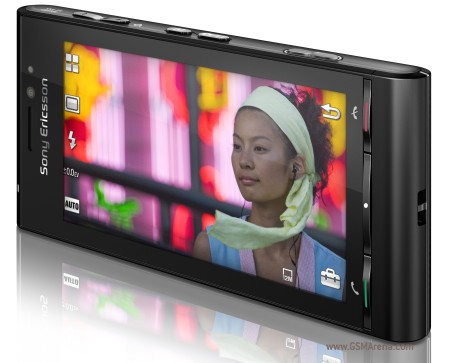
    Sony Ericsson phones provide one of the best sound and camera quality and that has always been their strength. This also prompted them to bring exotic and extravagant walkman and camera phones like w995, and c905. But they have announced another surprising package by the name Idou (read I do U ) which is going to sport a 12 Megapixel camera. Yes, that was not a typo, I did mean twelve megapixel. Initially, even I was astounded, partly due to the amazement and partly because of skepticism. I did feel it was little unrealistic, to have this big a camera on a mobile phone, which is primarily for making calls.
    Initially, I even thought this is just a rumour making rounds in internet, but soon was proved wrong when I checked the MWC 2009 coverage. Idou, the codename for the proposed phone, will run the new Symbian OS which is still in development. Neverthless, the preview of Idou prototype, at MWC was indeed cool. The UI is very fluid and deep, the best I have seen. Very much like a improved PSP interface.
    The features of the phone include a 3.5" touch screen, with 360x640 pixels, face recognition, xenon flash, aGPS and all the other fancy features any modern smartphone would have. The speculated launch time in 2009 Q3, but we all know what happened with Xperia, so maybe it will be a few months longer.
    Well Idou might be the dawn of next generation gadgets, or a senseless innovation. It is not ripe yet to conclude. In the meantime you can drool over these pages.
    Idou Specifications
    Idou MWC coverage, video.
    Idou Official Page
    I will be back with the coverage of just launched W995.

    -codevalley

    Internet Explorer 8 RC, at last a fighter!

    It has been some time since I have been using Internet Explore 8 Release Candidate 1, and I have found it very satisfactory in terms of performance. For ages, I always felt that Internet Explorer was a lighter browser compared to the foxes and Operas. But, the real downfall of IE happened with other browsers coming with tabs. Buy somehow Microsoft ignored the importance of tabs, for so long, I remember the first IE tabs, coming with the help of Yahoo! toolbar. But it was very messy nevertheless. Then IE came on with its own tabs. But, still they were very buggy. I remember even in IE 8 beta (even in my Windows 7 version of IE 8) whenever I open a new tab, the browser freezes for a few seconds (sometimes minutes) until the new tab is loaded. This is very irritating, since, we use tabs so that we don't have to wait until the page loads, we can carry on with the current tab.
    But things have changed with the Release Candidate 1. Tabs are as fast as it is in any other browser, the tabs opened from a parent tab always group together with a same highlight color, for easy identification.
    The address bar is much more than just a mere address bar. As you type, it shows relevant information, grouped and organized in a neat way, with domain highlighting etc.
    The in-Private mode and in-Private filter lets you browse without leaving traces on the system. Something that comes handy to keep your browsing personal when you are using your dad's laptop. It also has a crash recovery system, which restores all the tabs back in case your browser has a crash. The compatibility mode is still there and it would be used for most of the sites you browse, unless you are frequent visitor to the Microsoft websites.
    The browsers rendering is much better, with anti-aliasing of fonts and sharper rendering of images. Even other apps like Outlook which make use of the IE engine take advantage of this.
    It also has a few other bells-n-whistles like the web slices, accelerators, add-in manager, etc which I have not yet used fully.
    The only sad part apart from the compatibility mode is that IE 8 RC1 is still not available for Windows 7, I even tried downloading the Vista version and installing which did not work. I hope the wait would end soon.
    Summing it up, IE 8.0 RC1 is light as Chrome, feature rich as firefox, at the same time clearer and sharper a faster than any other browser. I think IE 8 for the final release. And I believe it can give a really good fight this time. And, maybe, win too :)

    Rating :4.5/5
    I am not exaggarating on the rating, I could not find any flaw with it. Not even a single crash as well.
    codevalley

    User Access Control, a scapegoat?

    As Windows 7 is round the corner, lets get a little backwards in the time-line. Windows Vista kept us waiting for over six years, since the release of Windows XP, before hitting the retail stores in January 2007. Opening with mixed reviews, with some curiosity aroused by the Aero graphics engine and a new system architecture, the much hyped Vista settled down as a failure. Various reasons were given for the failure, which included the mammoth amount of system resources it required, the slow system performance, etc. But, one of the most cursed feature of Vista was the User Access Control.
    UAC as it is commonly referred to as, is actually a feature which Microsoft added to Vista to enhance its security, by asking the user's confirmation before allowing any program to perform any serious (sometimes trivial) operation. People even went to the extent of rebranding UAC as User Annoyance Control. Norton noted that, "The more a user is prompted, the more likely it is that he or she will dismiss the prompt without reading it, and hence it is a false security model." And UAC became the easy target for Microsoft bashers and Windows haters.
    But, is it really an annoyance? I personally felt it is not. Spending a few extra seconds reading a popup is always an easier option than installing a multi-megabyte antivirus software. Atleast you know whatever is happening in your system. Which all applications are trying to execute. I know each time my pendrive is trying to autoplay. It has helped me many a times from getting infected from external media.
    After all is'nt this the very same security model followed in the Linux systems? Does'nt it ask for admin rights each time we try to do some system operation? In fact I have felt the frequency of popups more in my Ubuntu than in my Vista. I was rather disappointed when I heard Microsoft has partially removed the UAC from Windows 7. Though Vista may well be a below par product from Microsoft, I think the criticism on UAC was rather unfair. But, well that is MY opinion. You can have your say.
    -codevalley

    The Open Source Honeymoon!


    Open Source, yes, that is what the computing world needs. Think how good it would have been if the software was sold rather than just the licenses of software being sold? Think about the infinite possibilities, you could get away from the blue screen of death, (and obviously get your own green, turquise blue or black screen of death, your choice!). You could remove internet explorer from the bundle and replace it with the browser of your choice (higly recommended), you could even customize the applications and software bundle of your windows and sell it as your own distro (and millions of different colorful bugs). But alas! that is not going to happen, as Microsoft is not going to follow the Linux way.
    Look at Linux, how easy life is. Being a Linuxer for the past few years, I am still enjoying my honeymoon with my PC. I am never bored, (yes, there are very little games for Linux who minds) I spend hours formating and reinstalling new Distros. I could even keep my PC fresh and clean because of this, (yeah I do lose a confidential file or two, every now and then in the process of formatting, but who cares?). I can have a two page long list of distros in my bootloaders, so I use one for listening to music, one for browsing, one for office and so on, how convenient. Not like windows, where you have to do a series of clicks and find the app you need. Here you just need to reboot to the distro of your choice.Also, I have nice spending time buying a new hard disk every 2 months ( not because of excessive formatting. I lost only 2 hard disks that way, I actually buy because I run out of space installing OS).
    I have also mastered my typing skills, thanks to the console prompt, whatever be the distro, how much ever friendly it be, I get a reason or two to get to the console and set things straight. Also my vocabulary is getting richer day by day, with extraordinary words like Ubuntu, Xandros, knoppix etc. I bet Open Source is the way to salvation! ( I have to log back into windows before I post this, my network card is not detected in my Ubuntu!!! )

    "somethings look sexy when exposed, but some are better maintained under hood."

    codevalley

    Ballmer calls up Gates after Yahoo! Deal call off!

    Note:This is an imaginary comic article. This is just a satire and contains no facts.

    A
    fter the Yahoo! Deal was laid off, the whole Microsoft felt deceived and upset. On January 31st 2008, YHOO stocks closed at 19.03$. And a day after, the Microsoft announcing its interest to takeover the internet giant, its stock prices shot up to 28$ in a single day and even reached 30$ at some point of time. But because of the indifferent approach of Yahoo! Board, Microsoft had to call off the deal. Post Yahoo!, an upset Gates calls up Ballmer.

    Gates: What is this, Steve? I expected more from you. You should have gone for the proxy fight. Why did you give up?
    Ballmer: No dear. There’s no point in it. They were asking for too much. And moreover they will anyway tie up with Google; there is no point in taking over in that case.
    Gates: What can we do now? How do we save our face? I am not able to concentrate on my philanthropy 'business', you see.
    Ballmer: Even I am thinking about it. I tried my luck on Facebook, MySpace, but they did not budge. Then tried revamping Live.com, no one is even visiting it. Now after Yahoo! I see no way out.
    Gates: Why don’t we take our fight to our old friend, Apple? Can we announce a iPhone killer?
    Ballmer: Not a bad idea! We can in fact. We can use the Zune hardware, with an Xbox processor and put Vista in it….
    Gates: Vista? Will it fit in? The kernel itself is 3 GB!!
    Ballmer: Bill, why are you talking like a child! We can always revamp it. As we always used to do! We will remove the security module, Aero, the file system, the boot loader and…yeah, the multimedia too.
    Gates: What will be left then?
    Ballmer: The DOS kernel!
    Gates: Still the DOS kernel? I thought we developed a new kernel for Vista?
    Ballmer: Yeah, we did. Who said otherwise? We rewrote the whole DOS kernel from C to C#.
    Gates: How innovative! I am impressed. Now what we will we name our new product? It should really be something people can easily recognize. Something like iPhone…how about oPhone?
    Ballmer: I am afraid, O2 might complain….what about GPhone?
    Gates: Its already there you homie…Google Phone, so are the SPhone, KPhone etc. All patented.
    Ballmer: No alphabets left? Oh, hey! How about xPhone? That adds an x-factor... oh heavens.. I am amazed on my own creativity!!!
    Gates: Dude, watch out, x rating your product won’t help. I think we should go in our Windows line, 98, Millenium, 2000, XP, Vista….why don’ we name it Pista?
    Ballmer: Oh, you better name it some Chocolate or strawberry…ha ha
    Gates: Hey! You said it! Strawberry! We can also challenge blackberry with it! You are a genius! I am convinced.
    Ballmer: thanks (blushing).
    Gates: So, when can we have the press conference?...

    when technology gets advanced, people get silly.

    codevalley

    Yahoo! to bid for Microsoft???


    After more than two months of speculation, negotiation, round tables, press conferences and ultimatums it seems both Microsoft and Yahoo! have said they have enough of the drama. Microsoft spokesperson on the press conference said that, "This is what we both wanted, to be in the front cover of all the business journals and portals, rise in share values and publicity. This was the biggest form of advertising both we and Microsoft could get and the master plan has really paid off!". He also noted that at the end we wanted to call an end to this drama, as we found the drama is losing its charisma.
    "We are now thinking of bidding for Microsoft for maybe, 150 billion. I know we don't have that much funds with us. But we have asked Warner Bros. to sponsor this soap, and they have agreed to the same. They have their own publicity plans regarding the same, we will have a weekly show in BBC and CNN to get more publicity." When asked about how many months this new drama is going to last, Microsoft's Balmer said, " I don't have the clearest idea, but it could last for 2-3 months, depending on the publicity and popularity. Spielberg is in charge of the script and direction". "We are sure, both us and Yahoo! can tip Google from the top spot, with this kind of slick marketing. "
    -Codevalley

    This is a spoof and not real news. Don't run to buy some MSFT, YHOO shares half reading the article. I am not responsible for any loss occuring in such cases.
    posted in sillytech on May 05, 2008

    Windows may evolve, but bugs never.

    Myth
    Microsoft announced that it would delay its release of Windows XP service Pack 3, as it uncovered a new found glitch last week. The same glitch apparently is already there in Vista Service Pack 1 which it has already broadly released last week.
    For lesser mortals, here is the full news.For others read on...

    Reality
    You need not drop your jaws if tomorrow Steve Ballmer announces that the same glitch has been found in XP Services Pack 2, 1 etc, or maybe Windows 98 Service Pack 1 as well. As each of these Operating Systems have been coded from scratch and are entirely different than their predecessors, it is only the theory of probability to be blamed if the same bug is surfacing on all the OSes. You people never listened when I said I maths is flawed!!
    -Codevalley

    posted in sillytech on April 2008.

    Microsoft ambitious about the Azure Cloud!

    Remember the famous Windows 98 boot screen and wallpaper? The windows product name etched in a background of bright blue clouds. I am not sure who was behind that idea, but definitely he would have never thought the cloud, would mean so much to Microsoft over a decade later.
    Azure as it has been christened, the next generation of Computing is getting ready for take off. The Microsoft Chief Software Architect, Ray Ozzie was all excited to announce the possibility of a Windows that runs inside Internet. Azure will go beyond the existing paradigms and create a Distributed Operating System Model hosted under Microsoft's Data Centers. And the services could be accessed through existing protocols like HTTP, REST, WS* and Atom.
    The Azure platform will provide various Azure Services like Windows Azure, .NET Services, SQL Services and Live Services. Developers can write applications on the Azure platform and make it available to the users all around the world.
    With Azure, Microsoft also makes a genuine Openness Promise, to support all technologies impartially over the Azure cloud. This means an Azure app could be running on a PHP application or use OpenID authentication.
    Other Azure highlights are the possible subscription model of licensing that Windows Azure and the hosted apps may follow. The Azure network's fabric controller that manages the services and the ready availability of data which is spread over many data centers.
    Azure seems to be the Logical evolution of Operating Systems, and when the leader of Operating Systems is initiating it, expectations are running high.
    Though this looks like a promising step ahead, Azure is still in a very nascent stage and there is a long way to go until we get something that has a business value. For now, Microsoft has a limited Developer preview and some SDKs for the developers to play with. PDC 2008 also witnessed some small sample applications developed over Azure.
    "It's a transformation of our software and a transformation of our strategy" Said Ray Ozzie, in the PDC speech. He was probably right, as web is the next home. And we will have to wait and see who will be the first to conquer this kingdom.
    Azure Home
    Azure Coverage on CNET

    Codevalley

    Mozilla sets up Minefields to blow away other browsers!


    For the past few months, the browser war has reached new exciting levels, with Internet Explorer, Mozilla, Opera, all releasing new versions, providing drastic improvements to the older versions. Also, Google joined the party when they announced their own Chrome.
    There are long running argument threads in the internet on which is the fastest.
    Chrome had a dream start, first the comic book leak, then the sudden release, and public curiosity and all that. Initially Chrome did unsettle the browser community for a while, soon it proved to be just another browser.
    Now, firefox is projecting its future Firefox, with the Minefield brand name. Minefield refers to all the alpha, pre-release builds of firefox which you are free to download and test. [Also, it is upto you to survive the crashes.] Though not recommended for normal users, the Minefield will give you daily and even twice-a-day updates, for whenever there is a new build, you get them. But, most of the standard firefox plugin go unsupported in Minefield.
    But, the reviews have that Minefield is lightning fast and the javascript rendering of the new bomber browser beats all the browsers without doubt. So, firefox is not done yet. In fact they are getting stronger and better. Anyway things are rosy for users as we have options to choose from.
    Minefield gives you the nightly builds which can be obtained from the Mozilla's ftp. You can see the future of firefox with Minefield builds. So if you are upto it, go ahead and download Minefield. One more thing, Minefield installations can be kept separate from the firefox installation. So go ahead and play!
    Minefield Home
    ftp Download page

    codevalley